Too long to read?
Let ChatGPT summarize this Smart Salary article for you in seconds.
Payroll closes tomorrow. One branch has sent its overtime sheet, another is still correcting leave, and finance wants a final salary total. A new system should make that handover easier.
Ten payroll software solutions worth comparing in Malaysia are Smart Salary, PayrollPanda, Kakitangan, AutoCount HRMS, SQL Payroll, BrioHR, Swingvy, Talenox, Info-Tech and MySyarikat. The best choice depends on the work you need to fix: salary calculations, attendance inputs, approvals, reporting or all of them together.
This guide helps you build a shortlist and decide what each vendor needs to demonstrate before you commit.
How we selected these payroll software solutions
We selected products with a Malaysian payroll or HR offering, then reviewed their official product pages and documentation on 20 October 2026. We compared payroll scope, connections to HR records, employee access and the practical questions a buyer needs answered. The suggested use cases below are our editorial assessment of those published features.
Ready to see Smart Salary in action?
Book a free demo and see how it fits your team’s payroll.
Disclosure: Smart Salary publishes this guide and is included in the comparison. This is a research-based shortlist, not a hands-on benchmark or a ranking by market share. The numbering is for reference. Features, packages and implementation scope should be confirmed with each provider.
Compare the ten options by the job you need done
Software | Consider it when | Confirm before buying |
|---|---|---|
Smart Salary | You want AI-assisted HR reporting and employee support alongside payroll | Sally AI features enabled for your team and Malaysian payroll scope |
PayrollPanda | Payroll is the main process you want to replace | Attendance integration and optional upgrade requirements |
Kakitangan | Payroll needs to connect with leave and expense claims | Module bundle and your accounting connection |
AutoCount HRMS | You need several pay runs and configurable payroll reports | Calendar, attendance and module availability by plan |
SQL Payroll | Your payroll administrator needs detailed processing and reporting tools | Deployment, employee access and update arrangements |
BrioHR | Payroll forms part of a wider HR system replacement | Module scope, access permissions and migration work |
Swingvy | You need recurring and ad hoc payroll with employee access | Payroll add-on and core HR package requirements |
Talenox | Your workforce uses different pay frequencies | Bank file formats and payroll policy settings |
Info-Tech | Attendance, claims and payroll need to share data | Required modules, devices and integration scope |
MySyarikat | You want attendance inputs and mobile payslips in one workflow | Payment service terms and approval controls |
1. Smart Salary: an AI-first approach with Sally AI
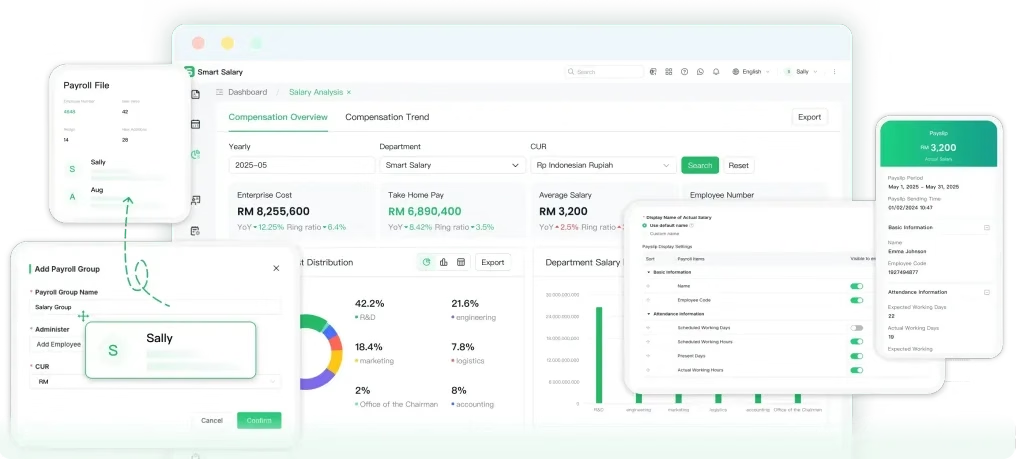
Smart Salary’s AI-first approach centres on Sally AI, an assistant designed to work within its HR and payroll system. The idea is practical: start with the question or task you need help with, then review the relevant information and proposed next step.
The Malaysia product page describes support for summarising attendance and payroll data, answering employee questions from approved knowledge sources, drafting HR documents and guiding leave, overtime and claim requests. For a busy HR team, those are the tasks that keep returning between payroll runs.
For example, bring this question to a demo: “Summarise overtime by branch this month and show the records behind any increase.” Ask Sally to explain the result, then check it against your attendance records. An employee could test a different task: checking a leave balance and preparing a request for review.
Sally’s design follows three principles: access stays within the user’s permissions, conclusions should have supporting evidence, and formal business actions require human confirmation. HR remains responsible for reviewing the result and approving the next step.
The underlying workflow matters too. Smart Salary supports regional holiday calendars and working patterns configured by group, alongside approval workflows with multiple levels. These give the AI approach a concrete setting: your employees, policies and approval structure.
Confirm in the demo: which Sally AI capabilities are available for your team, the records they can use and how results are checked. Separately verify the Malaysian statutory calculations, files and submission steps included in the payroll implementation.
2. PayrollPanda: consider it for a payroll-focused setup
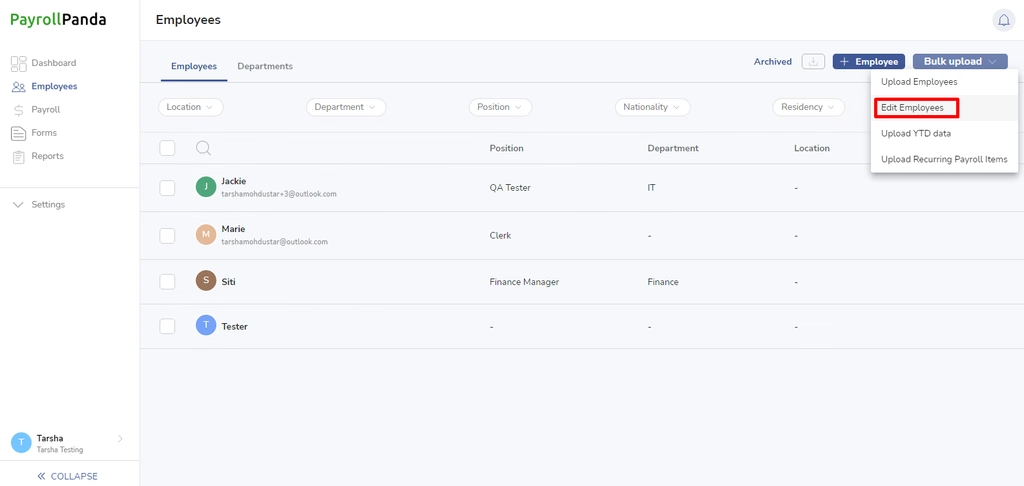
PayrollPanda’s payroll documentation describes recurring allowances and deductions, overtime calculations, payslip generation and payroll reports. It also describes a Jibble integration that transfers attendance, leave and overtime data into payroll.
This is a useful starting point if payroll is your immediate problem and you intend to keep other HR tools. List the data those tools must exchange before comparing packages.
Confirm in the demo: which steps happen inside PayrollPanda, which need Jibble or another connection, and which features require an optional upgrade. Test a late attendance correction after the first import.
3. Kakitangan: consider it for linked leave, claims and payroll
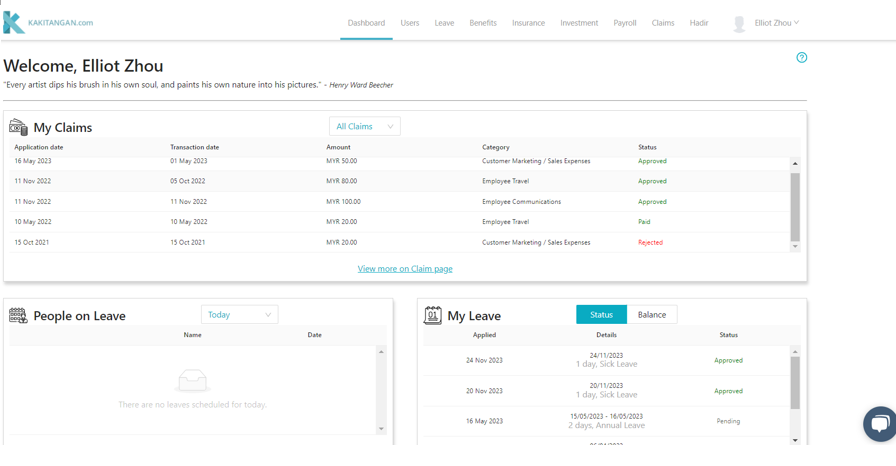
Kakitangan’s E Payroll module connects payroll with leave applications, expense claims, bonuses and allowances. Its product page also describes bank file downloads, accounting integrations and payslip templates.
Shortlist it if your team repeatedly copies approved HR transactions into a separate salary sheet. The useful test is whether a transaction keeps its approval record as it moves into payroll.
Confirm in the demo: the modules included in the quote, support for your accounting software, and how a claim approved after the payroll cut-off moves into the next run.
4. AutoCount HRMS: consider it for varied pay runs and reports
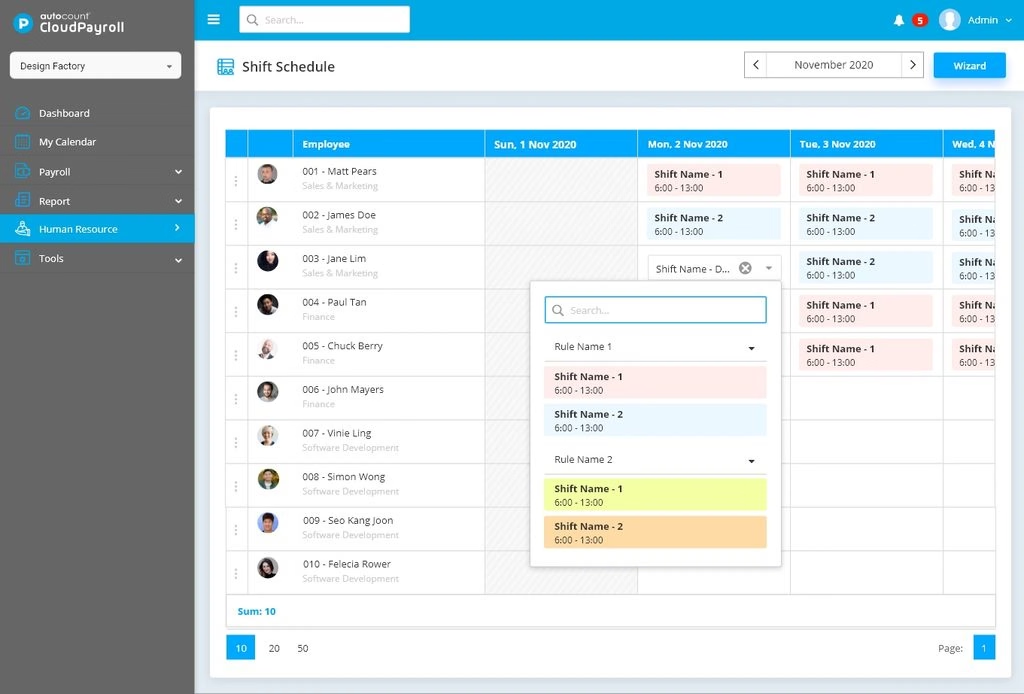
AutoCount HRMS, which includes AutoCount Cloud Payroll, describes separate processing for items such as claims, commissions and bonuses, alongside biweekly payroll. It also offers report filtering, exports and payslip templates.
These are useful areas to examine when finance needs different reports from the same payroll data. Bring your current report layout instead of accepting a generic demonstration.
Confirm in the demo: the subscription that covers your calendars, attendance and leave requirements. AutoCount’s own setup guides identify features that vary by plan, so the product name alone does not establish what your package includes.
5. SQL Payroll: consider it for detailed payroll administration
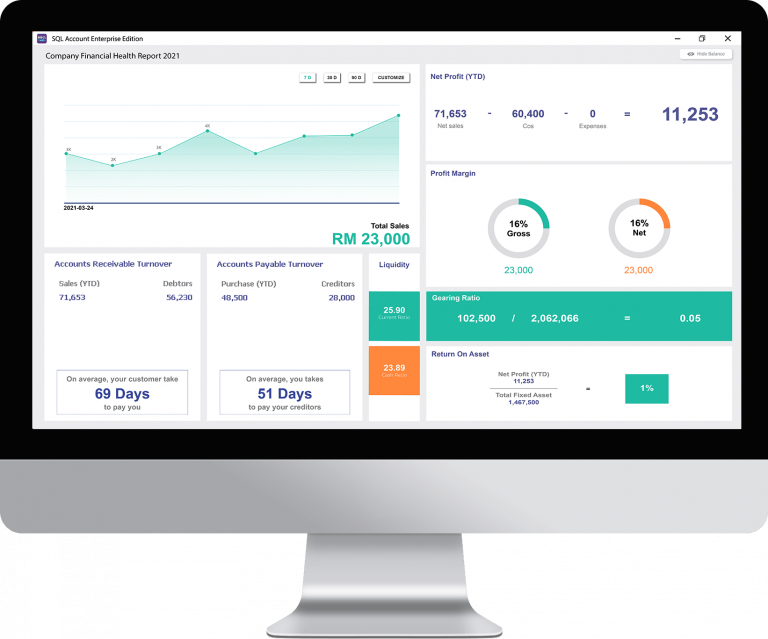
SQL Payroll documents payroll processing, statutory calculations, payroll history and password-protected payslip emails. Its HRMS offering also includes eLeave, eClaim and time management tools.
It is worth a demonstration if your administrator needs to inspect individual earnings and make controlled amendments. Ask to see the report that explains the difference between two payroll runs.
Confirm in the demo: which functions use the payroll application or mobile web interface, how updates reach your installation, and whether your proposed setup supports the people who need simultaneous access.
6. BrioHR: consider it for a broader HR system replacement
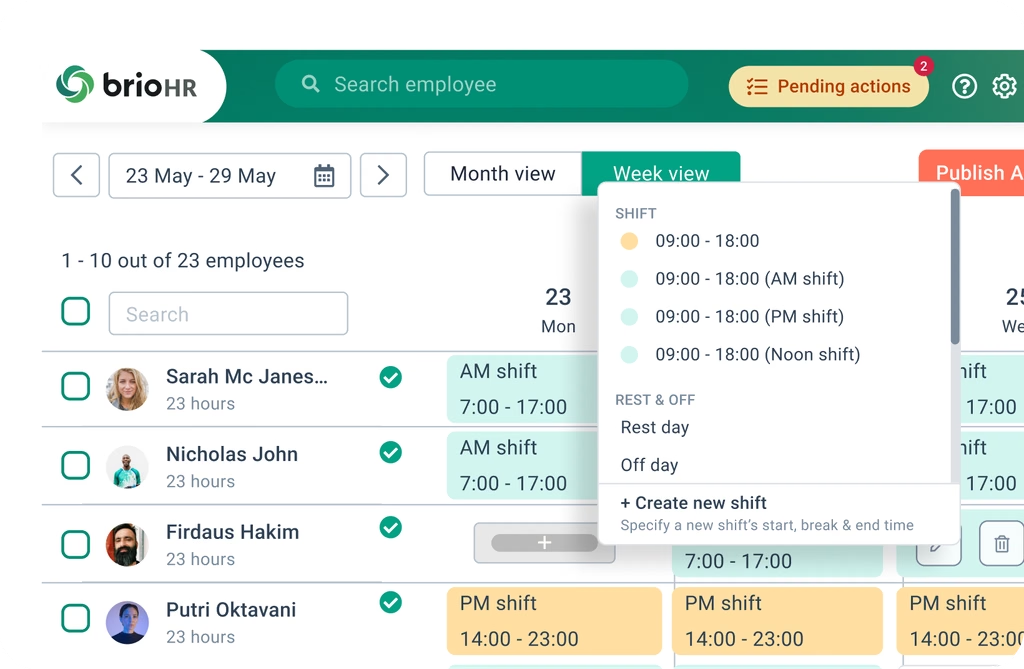
BrioHR’s payroll product connects with attendance, leave, claims and accounting. It describes comparisons between pay runs, multiple pay cycles and payroll access controls. Its wider suite also covers onboarding and performance management.
That makes it a candidate when replacing payroll is one part of a larger HR project. Decide which processes belong in the first rollout so the implementation has a manageable scope.
Confirm in the demo: permissions for HR and finance, handling of opening balances, and the modules needed to reproduce your current approval and reporting process.
7. Swingvy: consider it for monthly and ad hoc payroll
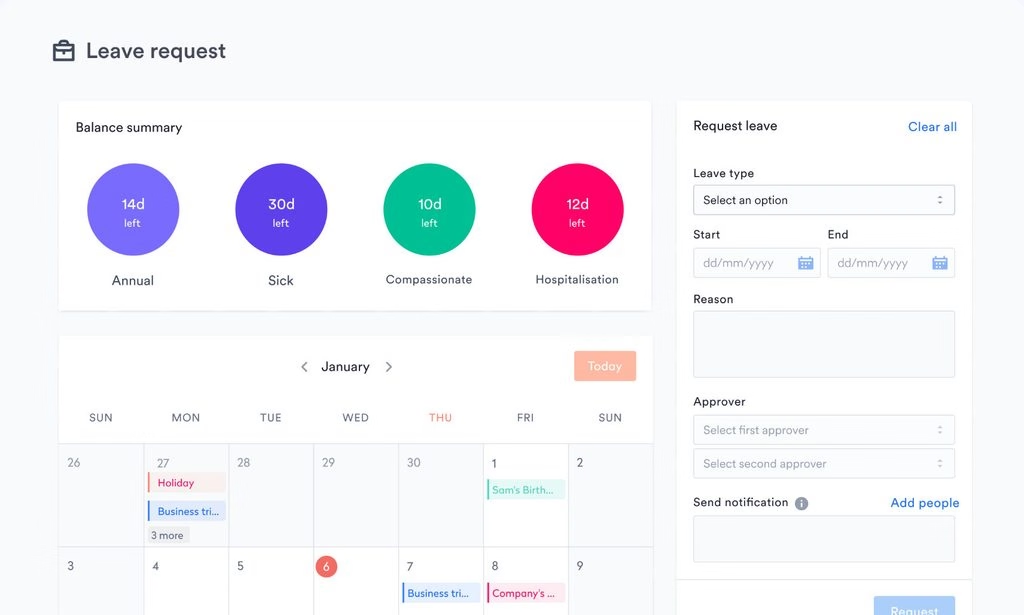
Swingvy’s Malaysia payroll page describes monthly, mid-month and ad hoc runs, payroll amendments, employee payslip access and a Xero integration. Employees can also access past payment details and EA Forms.
Shortlist it when regular salaries and additional payments need to be managed together, with employees retrieving their own records.
Confirm in the demo: the complete package cost. Swingvy’s payroll setup guide describes payroll as an add-on to eligible HR plans. Ask for the core plan and payroll scope in the same quotation.
8. Talenox: consider it for different pay frequencies
Talenox’s Malaysian payroll offering describes monthly, weekly and daily processing, employee access to payslips and bank file exports. It also documents Malaysian statutory calculations and annual forms.
It is worth comparing when your workforce includes employees paid on different schedules. Use examples from your own contracts and payroll policies during the demonstration.
Confirm in the demo: the treatment of a mid-month joiner, a part-time employee and an additional payment in the same month. Verify the exact bank portal and file format your finance team uses.
9. Info-Tech: consider it for attendance-led payroll preparation
Info-Tech’s Malaysia payroll page describes connections with employee hours, leave and expense claims, plus configurable reports and employee payslip access through its app or online service.
This is relevant when payroll corrections begin with missing or inaccurate attendance records. The demonstration should start with a clocking correction and follow it through approval into the salary calculation.
Confirm in the demo: which attendance modules or devices are required, how corrections are recorded, and what happens to payroll when attendance is amended after approval.
10. MySyarikat: consider it for mobile HR inputs and payslips
MySyarikat’s automated payroll offering describes attendance, leave, expense claims and overtime feeding into payroll. It also advertises batch salary payments and payslips delivered through the employee mobile app.
It is a candidate when employees and supervisors need to handle routine payroll inputs away from a desk.
Confirm in the demo: the payment service’s bank coverage, fees and approval steps. Ask who releases money, how a rejected payment is handled, and whether payroll approval and payment authorisation can be assigned to different people.
Check the full Malaysian payroll workflow
A vendor showing a statutory calculation has demonstrated one part of the job. Ask separately about EPF, SOCSO, EIS and PCB calculations, contribution files, payments and submission records. Record which tasks the software performs and which remain with your team or an outsourced service.
Include year-end work. Use your EA Form, Form E and CP8D requirements to test whether monthly records carry through correctly. If you employ foreign workers, include their employee categories in the test rather than demonstrating only a standard local employee.
Then check the inputs. Review time and attendance, leave management and shift arrangements as parts of the same process. For branches in different states, bring your holiday calendar requirements into the demo too.
Finally, test access. A supervisor may need to approve attendance without seeing everyone’s salary. An employee using employee self-service should be able to retrieve their own records. Ask each vendor to demonstrate those roles and explain data exports, retention and account removal.
Give every vendor the same payroll test
Consider an illustrative business with 80 employees across two branches. One employee earns RM3,500 a month and has an approved RM200 allowance. A second joins halfway through the month. A third has unpaid leave, and one branch submits an overtime correction after cut-off.
Give each vendor the same anonymised records and your written pay policies. Ask them to show:
- How the records enter the system, including any manual re-entry.
- Who approves the allowance, leave and overtime correction.
- How each pay item affects gross pay, deductions and net pay.
- How finance checks the payroll total against the bank file.
- Where the amendment history and year-to-date figures can be reviewed.
The point is to see where your team still has to intervene. Keep that list beside the subscription quote. It is often more useful than counting the features on a brochure.
Compare the first year’s total cost
Ask each shortlisted vendor to price the same headcount, companies and modules. Include setup, historical data migration, training, attendance devices, integrations, additional pay runs, payment fees and support. Separate one-off charges from recurring charges and ask what changes at renewal.
If payroll is the only process you need to replace, start with that scope. If several HR teams are maintaining conflicting employee records, compare the wider HRMS requirements as well. Buying a larger package helps only when its extra functions replace work you actually do.
Frequently asked questions
Which payroll software is best for an SME in Malaysia?
Start with the process causing the most rework. PayrollPanda is worth examining for a payroll-focused setup; Kakitangan, BrioHR and other integrated options suit a broader evaluation. Smart Salary is worth assessing for its AI-first approach with Sally AI, alongside configurable HR workflows. Confirm available AI features and Malaysian payroll scope, then test your own records.
Does payroll software submit everything automatically?
Check each step. Calculating a deduction, generating a submission file, uploading it and making a payment are separate actions. Ask the vendor to identify which are included in your package and who is responsible for completing the remaining steps.
Can we change payroll software during the year?
Plan for opening balances and year-to-date records, not just employee names and salaries. Reconcile the imported totals and run a parallel payroll before switching. Keep access to historical records and agree who will resolve differences between the old and new systems.
Choose the system that can explain your payroll
Shortlist two or three providers and give them the same test. The useful demonstration ends with your team understanding the figures, the approvals and the work still left to do.
To assess Smart Salary, request a Sally AI and Malaysia payroll demo. Bring one recurring HR question, your branch calendars and an anonymised payroll example. Ask the team to demonstrate how Sally would assist, what you need to review and which capabilities are included in your implementation.

Delvin Ngan
Kae Bin (Delvin) Ngan is Senior Business Development for Malaysia at Smart Salary Malaysia. He has spent over a decade in the country's HR and payroll software industry, first as a presales and solution consultant and then as a sales leader. He has led presales and sales for enterprise HR and payroll systems used by Malaysian employers across conglomerates, property and F&B. That work turns on getting EPF, SOCSO, EIS and PCB handling right for large and mixed workforces. He reviews Smart Salary's Malaysian statutory and payroll guides for accuracy.
✨ Ask AI which HR & payroll platform is best. See what it says!