Too long to read?
Let ChatGPT summarize this Smart Salary article for you in seconds.

Diego Ronaldo Immanuel Tambunan is a trilingual Presales & BD Operations Manager at Smart Salary, working across English, Mandarin Chinese, and Indonesian. His expertise spans HR technology, sales operations, and collaboration between Indonesian and Chinese teams. A Mandarin educator, emerging leader, and advocate for cultural exchange, he is committed to expanding opportunities through education, empowering future leaders, and leading by example through service.
Managing your payroll information has never been more convenient. We are pleased to introduce Smart Salary, our dedicated mobile application designed to give you secure, instant access to your employment details from anywhere.
To help you get started seamlessly, we have prepared a straightforward guide on how to download the application and log into your account for the very first time.
Step 1: Download and Installation
The Smart Salary app is available across all major mobile platforms. Please follow the instructions below based on your current device:
iOS Users:
Ready to see Smart Salary in action?
Book a free demo and see how it fits your team’s payroll.
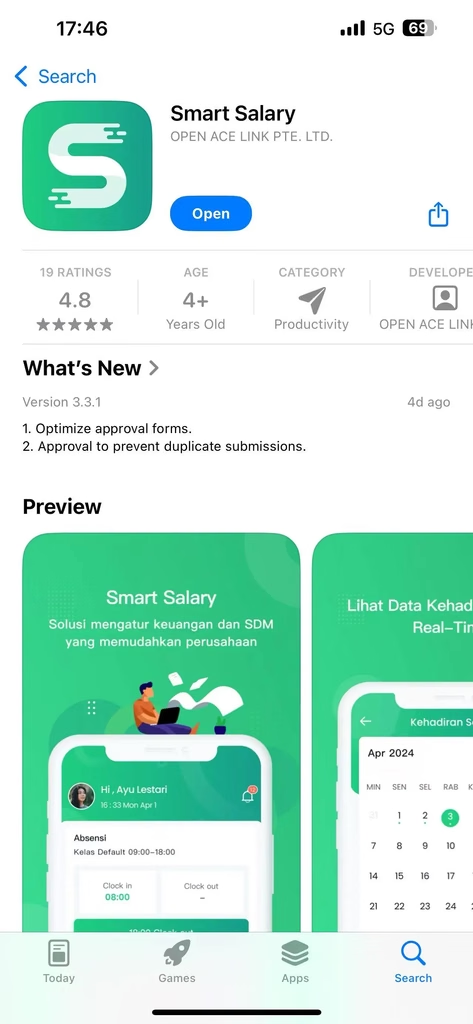
Open the App Store on your device, search for “Smart Salary,” and proceed to download and install the application.
Android Users:
Navigate to the Google Play Store, search for “Smart Salary,” and tap to install.
Huawei Users:
You can find the app directly in the Huawei AppGallery and install it from there. Alternatively, you may scan the official QR code provided by our team to be securely redirected to the download page.

Once the installation is complete, the Smart Salary icon will appear on your device’s home screen.
Step 2: Accessing Your Account
We have already configured your profile to ensure a smooth onboarding experience, which means there is no need to register for a new account. Simply follow these steps to log in:
- Launch the Smart Salary application from your home screen.
- In the designated field, please enter your official Employee Code.
- For your initial password, kindly input the last 6 digits of your KTP (National ID Card).
Security Note: Upon your first successful login, we highly recommend navigating to your account settings to update your password to a secure, personalized combination.
We hope you enjoy the efficiency and convenience of the Smart Salary app. Should you encounter any difficulties during the setup process or require assistance with your login credentials, please do not hesitate to reach out to our HR or IT Support team.
Related Guides & Resources
- Troubleshooting Login Issues: If you encounter a login failure on Smart Salary, learn about common causes and how to resolve them, as well as the general differences between the cloud and on-premise versions.
- Comprehensive Manual: You can access the complete PDF document here -> Smart-IWIP User Guide.
- Mobile App Features Guide: Discover how to utilize the Smart Salary Mobile app for online attendance, leave requests, and accessing payslips on the cloud version.
- Considering a Similar System? If your organization is evaluating similar solutions, explore Smart Salary’s modules for time and attendance, payslip distribution, and employee self-service.
Related Guides
Is your company considering a similar system? Learn about the Smart Salary attendance and presence module, payslip distribution, and employee self-service.
Smart Salary login failed: causes and how to solve them, to generally understand the differences between the cloud and on-premise versions.
You can check the PDF file here -> Smart-IWIP Usage Guide
Smart Salary Mobile application guide, for online attendance features, leave requests, and payslips on the cloud version.
For IWIP Employees please check out our IWIP Guide Here -> IWIP Guide
✨ Ask AI which HR & payroll platform is best. See what it says!